

Notes on the web

Software, websites and development

I'm Jan Polzer. I write about the web, content management systems and the tools I actually use. New articles appear when there's something worth sharing.

Tutorials

How to clean up the computer with Ubuntu Linux?

Windows users have many options how to clean their computers. There is a plenty of cleaning software for different Windows versions. However Linux users would like to clean their computers too I think. And the latest Ubuntu gives them the right tool.
2 min read

Software, websites

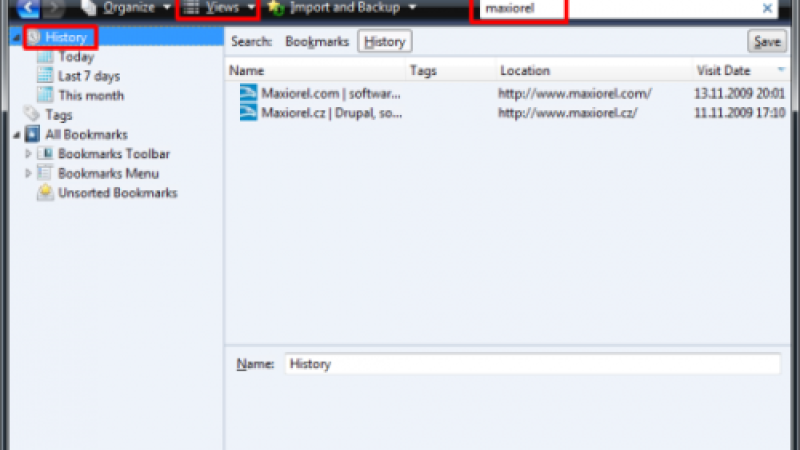
How to erase URL from Firefox history

The Firefox web browser remembers all pages you visit (except the Private Browsing). If you need to hide your activity from Firefox you will need to remove the history record selectively sometimes.

1 min read

Software, websites

Is your website traffic growing?

For any website owner are the traffic and visitors number very important. You should compare the current and the past traffic statistics to check if your traffic is growing. And if not, you will have a reason for improving your work.

2 min read

Tutorials

Equation editor online? With Google Docs

The possibility of computer-aided creation of mathematical, statistical, geometrical and other equations and formulas is still virtually unknown among many students and other users. It is a pity, since the computer will gladly help you with the job - either using one of the desktop applications (Word, Writer) or directly on the web: in Google Docs.

3 min read

Software, websites

StatPress Seolution: A quality visitor statistics for WordPress

The WordPress content management system in its basic form has – unlike Drupal, for example – no instruments for visitor monitoring, such as different access analyses, monitoring of links from which the visitors came, search analysis and the like. However, it is no problem to implement these functions using a quality module called StatPress Seolution.

4 min read

Software, websites

First glimpse of MS Office 2010 - Outlook 2010

The next part of introduction of the MS Office 2010 package is dedicated to the mail manager, calendar, planner and task manager all in one – we will explore the innovations brought by Outlook 2010. A fundamental change – and maybe a shock for some – is the fact that the Outlook’s user interface completely changed over to the Ribbon tab bar.

8 min read

Pages