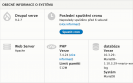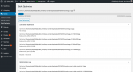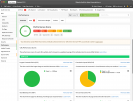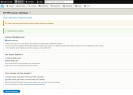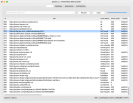
A multisite Drupal installation is an installation where a single folder with the Drupal core and modules is used to run several web sites. We will show you now how to create a main web site with subdomains and common login this way.
A few weeks ago Google released its special iPad optimized version of the Gmail mailbox. If you are using this mail service you can forgot to the iPad’s native Mail app and use special interface on the web based mailbox from Google.
The title itself may be a bit cryptic for those that do not have much contact with extensions, file types and so on. Therefore, I will start off by discussing ffmpeg. There is not that much to tell, but it is always easier to understand the process if you understand its parts, so, in short, ffmpeg is a core solution, used by numerous software vendors to power video conversions.
It is no secret that home movies are rarely perfect. The images themselves can be great, but someone talking in the background did not realize you were filming or they honestly didn’t care. In this case, it is best to go with music instead of spoken words.
Whether it be creating a professional video or just adding some flare to a home video, there are times when introduction titles and closing titles are called for. Luckily, it is easy to add a title, opening credits, and closing credits with Movie Maker 2. In fact, you have many choices; including fly-ins, outline effects, and fades. The only roadblock you will run into with Movie Maker and introductory titles is the few background choices.
You are done! You have spent hours loading your video onto your computer, editing out the junk, adding good transitions and effects. Your video is now perfect and ready to be shared with family and friends, but wait! How do you go about doing that sharing? You need to export your movie. Here comes the most important question of all: what format should you export to?
If you own a digital camera, it is likely that you have a series of pictures on your camera from one single event. For example, a trip to the museum with your child may result in 40 pictures or more! All by themselves, these pictures are good, but wouldn’t you like to make them amazing? You can by creating a video slideshow. Creating a video slideshow is easy with Windows Live Movie Maker; import your pictures and then drop them into the storyboard in the order that you prefer.
If you have a home video that you want to make perfect, you are likely to turn to Windows Live Movie Maker. This video editing program gives you control and freedom; you can do whatever you want with your home movie or video clips. Two main choices that you have are effects and transitions. When compared, which is your best option? Which produces the best results?
Would you like to create a screencast, a manual with screenshots or screen events in a video form? Are you looking for suitable software? It is quite possible the ScreenCastle will be the right solution for you, although it is a simple program launched directly from the web browser window. It is free and it does not require installation.
As you know, there is some “video junk” that finds its way into all home movies. Wouldn’t it be nice to edit out these not-so-perfect comments or images? Thanks to computer video editing, you can! Whether it be editing out a comment from Aunt Tina when she thought no one was watching or reducing a 45 minute home movie down to 10 minutes, you can do it.
There is an increasing number of tools that you can use to create panoramic photographs. If you are not satisfied with the results given by your photo manager or if your favorite program does not offer such function, try CleVR. It is free and it allows you to use the finished panoramas in your web site using the embed mark.
Do you create web applications based on PHP or ASP.NET and do you need to test and modify them on your local computer before you launch them in the web environment? There are several solutions; one of the easiest ones is to use the Microsoft Web Platform Installer application. Don't be afraid, it does not offer solely MS technologies.
Some years ago when Nero launched the first version of its burning software for Linux, it was a sensation. As it usually is, every program needs to mature. The current fourth version of Nero for Linux is a quality burning program with trouble-free installation and operation.
In autumn the HP company introduced a new series of HP Photosmart printers. Their common characteristics are the iPhone-like touchscreens and direct communication through Internet services. They allow you to upload, download and print your photos from the Internet. All that without the need for any software equipment on your computer. You don't need the computer at all.
Recently, the "E-Book Reader" devices based on the E-Ink technology have been emerging rapidly. Not even our editorial staff could resist testing one of those devices. How does it read and does stand in the test in comparison with paper? Specifically we have tested Hanlin V5 running on the Linux platform.
In its newest version, the Opera web browser is a versatile tool that deserves your attention. It offers a multitude of features for browsing and also functions that make it quite a different tool – file sharing, for instance.
I have archive copy of all my e-mail accounts back to 2000 year. However I have tried many desktop e-mail clients including Outlook Express, Opera, Thunderbird and much more. And since I have switched to webmails like Hotmail and Gmail I don’t have some programs installed more. Today morning I needed to find some e-mails in my old DBX file backup. How can you open backups from Outlook Express?
Windows users have many options how to clean their computers. There is a plenty of cleaning software for different Windows versions. However Linux users would like to clean their computers too I think. And the latest Ubuntu gives them the right tool.
For any website owner are the traffic and visitors number very important. You should compare the current and the past traffic statistics to check if your traffic is growing. And if not, you will have a reason for improving your work.
The possibility of computer-aided creation of mathematical, statistical, geometrical and other equations and formulas is still virtually unknown among many students and other users. It is a pity, since the computer will gladly help you with the job - either using one of the desktop applications (Word, Writer) or directly on the web: in Google Docs.
Recent comments
48 weeks 52 min ago
50 weeks 4 days ago
50 weeks 5 days ago
1 year 12 weeks ago
1 year 12 weeks ago
1 year 15 weeks ago
1 year 15 weeks ago
1 year 15 weeks ago
1 year 15 weeks ago
1 year 25 weeks ago